

CGContextAddCurveToPoint(context, CGFloat cp1x, CGFloat cp1y, CGFloat cp2x, CGFloat cp2y, CGFloat x, CGFloat y);
下面就演示一下这两种曲线的绘制方法
运行效果:
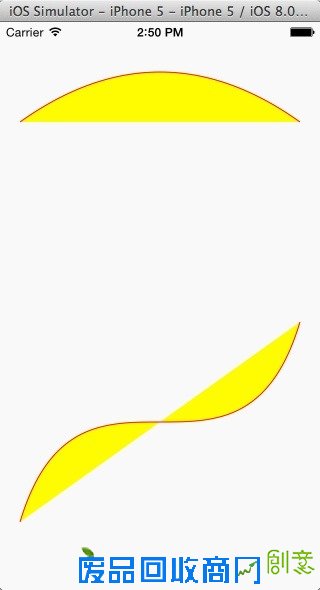
备注:贝塞尔曲线是由法国数学家“贝塞尔”发现的,他发现:任何一条曲线都能够由和它相切的直线的两个端点来描述,这种曲线表示方式后来被广泛应用到计算机中,称为“贝塞尔曲线”。
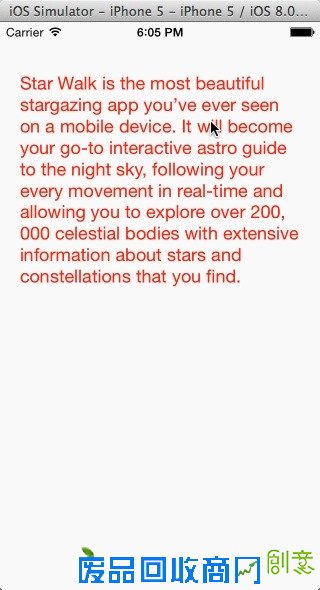
文字绘制除了绘制图形还可以绘制文本内容。
-(void)drawText:(CGContextRef)context{ //绘制到指定的区域内容 NSString *str=@"Star Walk is the most beautiful stargazing app you’ve ever seen on a mobile device. It will become your go-to interactive astro guide to the night sky, following your every movement in real-time and allowing you to explore over 200, 000 celestial bodies with extensive information about stars and constellations that you find."; CGRect rect= CGRectMake(20, 50, 280, 300); UIFont *font=[UIFont systemFontOfSize:18];//设置字体 UIColor *color=[UIColor redColor];//字体颜色 NSMutableParagraphStyle *style=[[NSMutableParagraphStyle alloc]init];//段落样式 NSTextAlignment align=NSTextAlignmentLeft;//对齐方式 style.alignment=align; [str drawInRect:rect withAttributes:@{NSFontAttributeName:font,NSForegroundColorAttributeName:color,NSParagraphStyleAttributeName:style}]; }运行效果:
Quartz 2D还可以将图像绘制到图形上下文。
-(void)drawImage:(CGContextRef)context{ UIImage *image=[UIImage imageNamed:@"image2.jpg"]; //从某一点开始绘制 [image drawAtPoint:CGPointMake(10, 50)]; //绘制到指定的矩形中,注意如果大小不合适会会进行拉伸 // [image drawInRect:CGRectMake(10, 50, 300, 450)]; //平铺绘制 // [image drawAsPatternInRect:CGRectMake(0, 0, 320, 568)]; }运行效果:

从前面的示例中我们可以看到如何设置填充颜色,事实上很多时候纯色的填充并不能满足我们的需求,例如有时候我们要绘制一些图形可能需要设置一个漂亮的背景,这个时候我们可能就会选择渐变填充方式。Quartz 2D的渐变方式分为两种:
a.线性渐变线:渐变色以直线方式从开始位置逐渐向结束位置渐变
b.径向渐变:以中心点为圆心从起始渐变色向四周辐射,直到终止渐变色
要做渐变则必须先设置从开始位置到结束位置的渐变颜色,做过photoshop的朋友相信对于渐变色设置并不陌生,只要在指定位置指定不同的颜色,剩下的事情交给系统处理即可,如下图在起始位置、3/10位置、结束位置指定了三种颜色就形成由三种颜色组成的渐变色: